
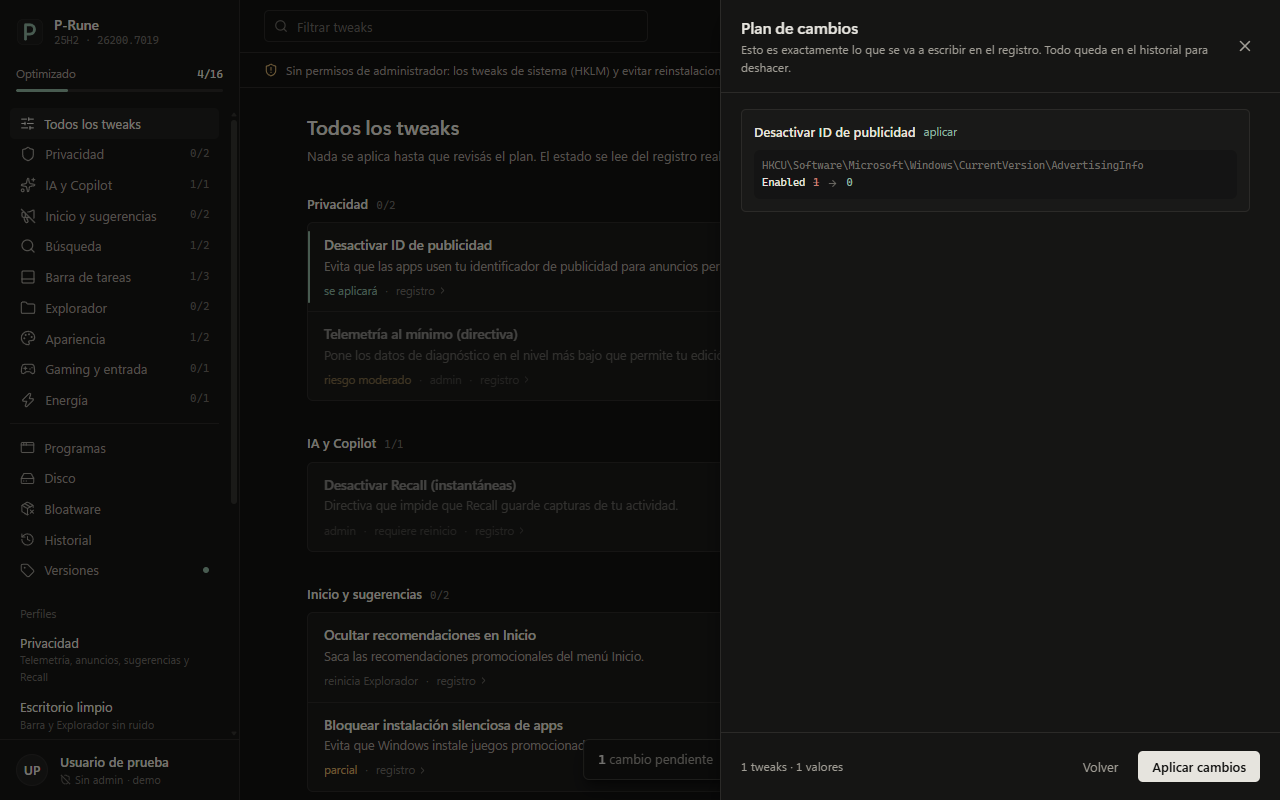
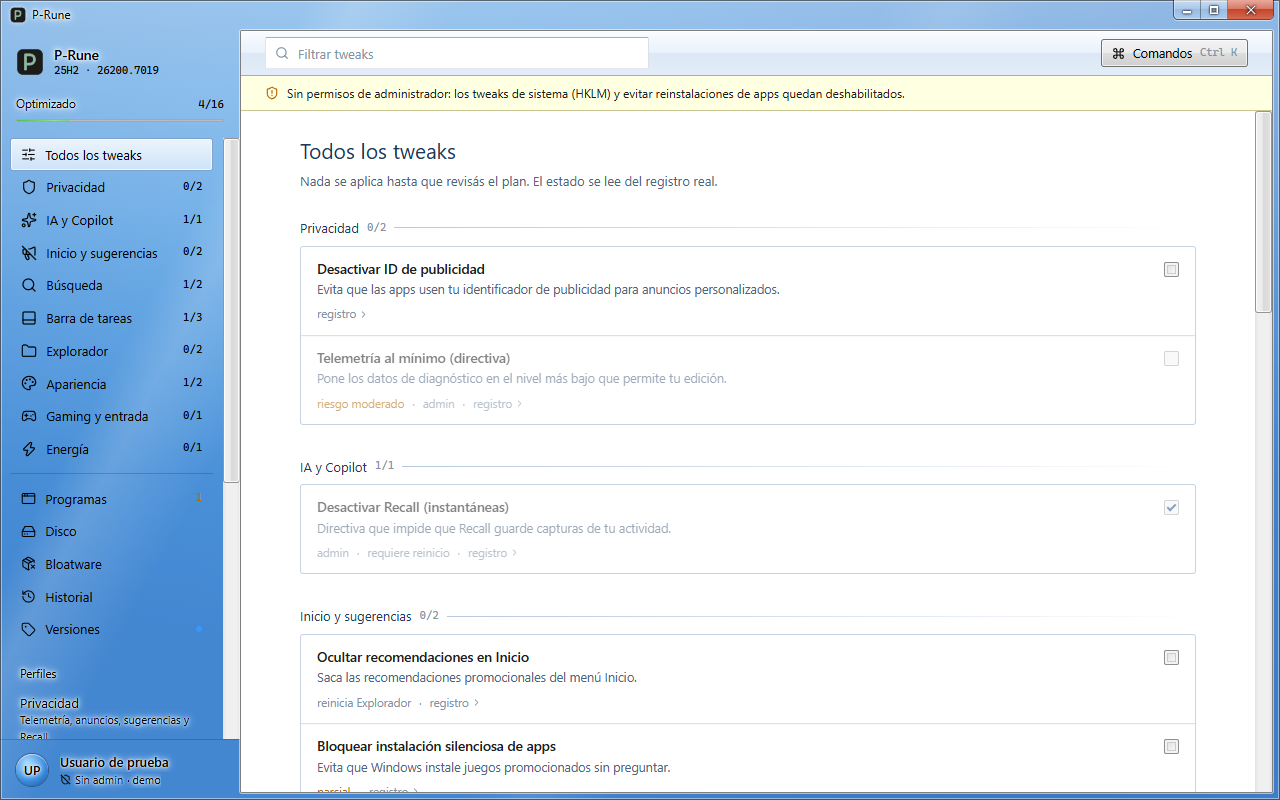
Turn off advertising IDapply
HKCU\Software\Microsoft\Windows\CurrentVersion\AdvertisingInfoEnabled 1→0
For Windows 11 · free
P-Rune turns off telemetry, Copilot and Start menu suggestions, removes preinstalled apps and installs the programs you use. Nothing is applied until you've read the plan, and every tweak can be put back to the exact value it had.
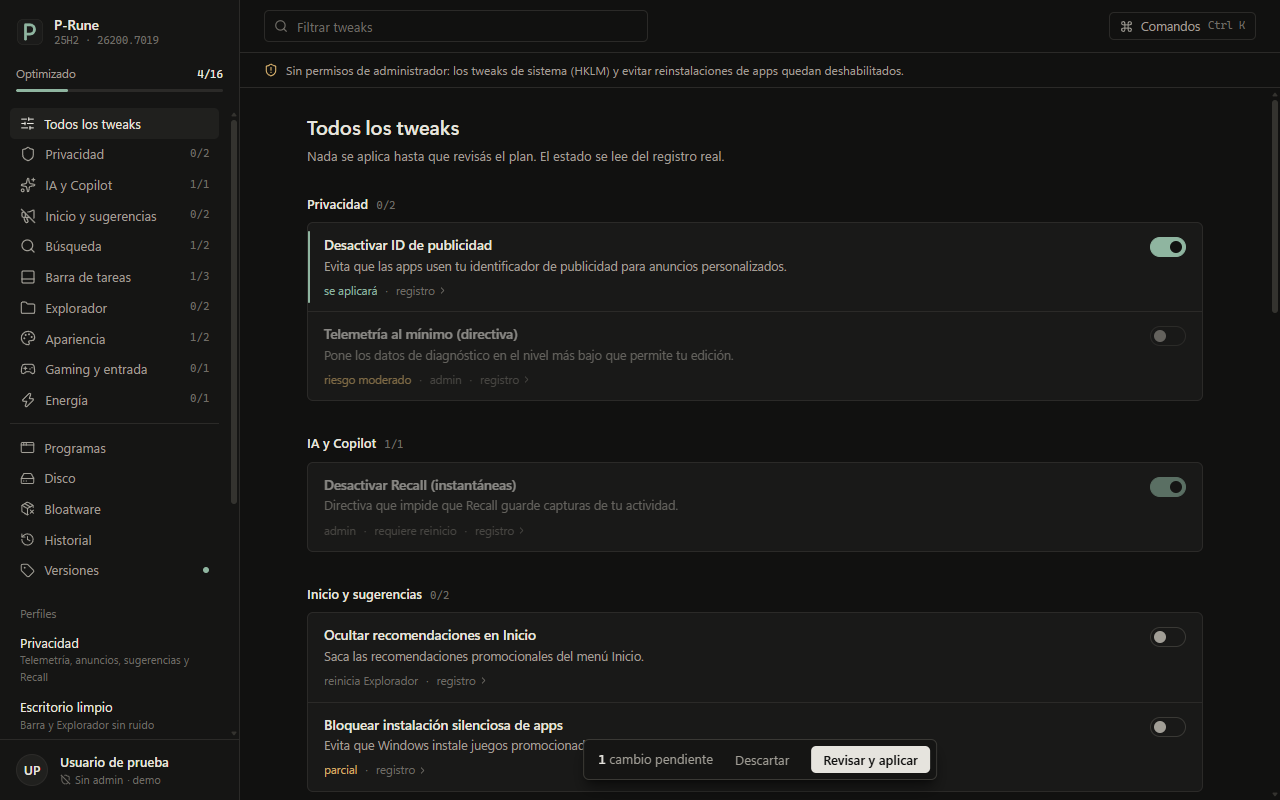
Screenshots show the Spanish interface. P-Rune uses your Windows language the first time and ships in 9.
A switch in P-Rune doesn't write anything. It adds a change to a plan, and the plan shows the registry values exactly as they will be written.
The exact diff. Key, value name, what it holds now and what it will hold.
All or nothing. If one write fails, the ones before it are rolled back.
The value it had, not a default. History keeps the previous value. If something else changed it since, P-Rune warns you before overwriting.
Removing an app is the one thing P-Rune can't undo: you reinstall it from the Microsoft Store. Before removing apps or applying a large batch, it offers a Windows restore point.
Every list is curated. Commands only accept items from P-Rune's own catalog, and each one is labeled by risk.
Privacy, AI and Copilot, Start, search, taskbar, Explorer, appearance, gaming, services and power plan. Each switch shows the real state of the registry.
Removes preinstalled apps from a curated list. The essentials (Store, winget, Terminal, Calculator, Windows Security) never show up in it.
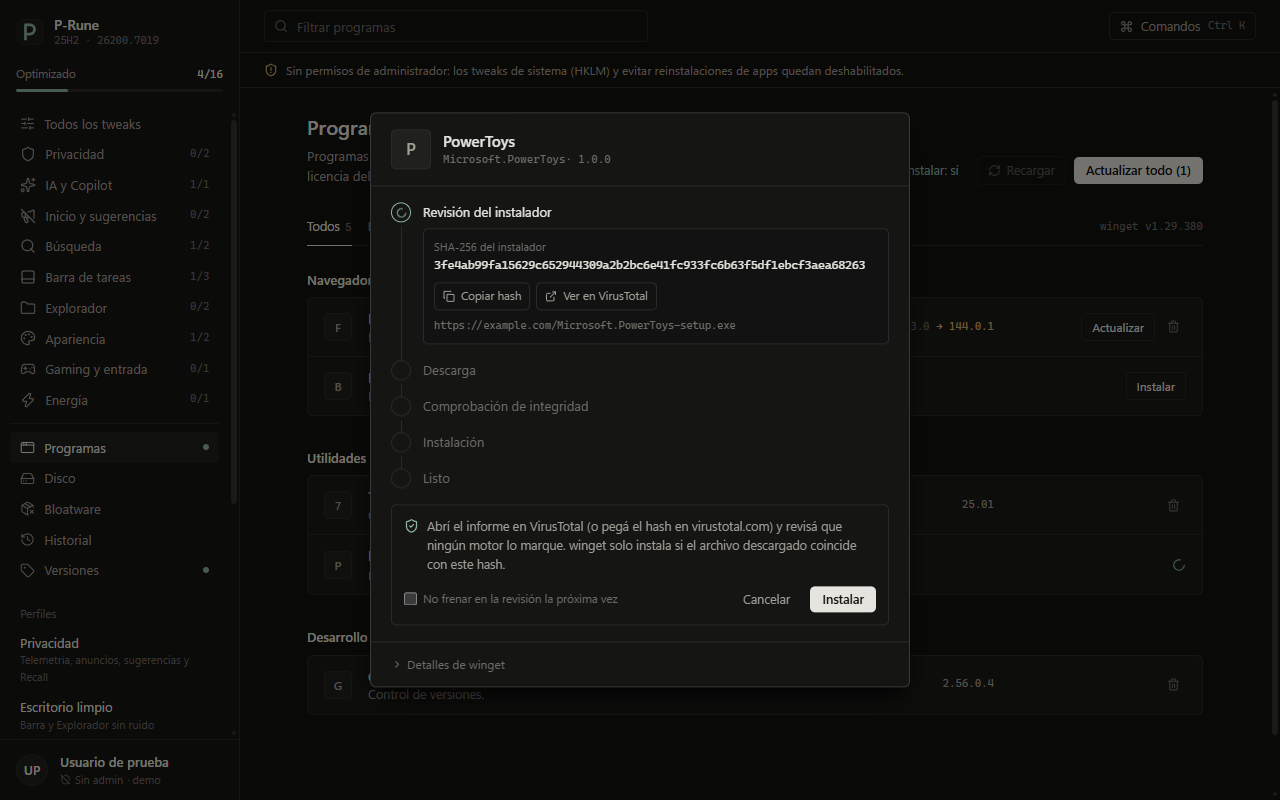
Installs and updates about 40 trusted programs through winget. A review step shows the installer's SHA-256 so you can check it on VirusTotal.
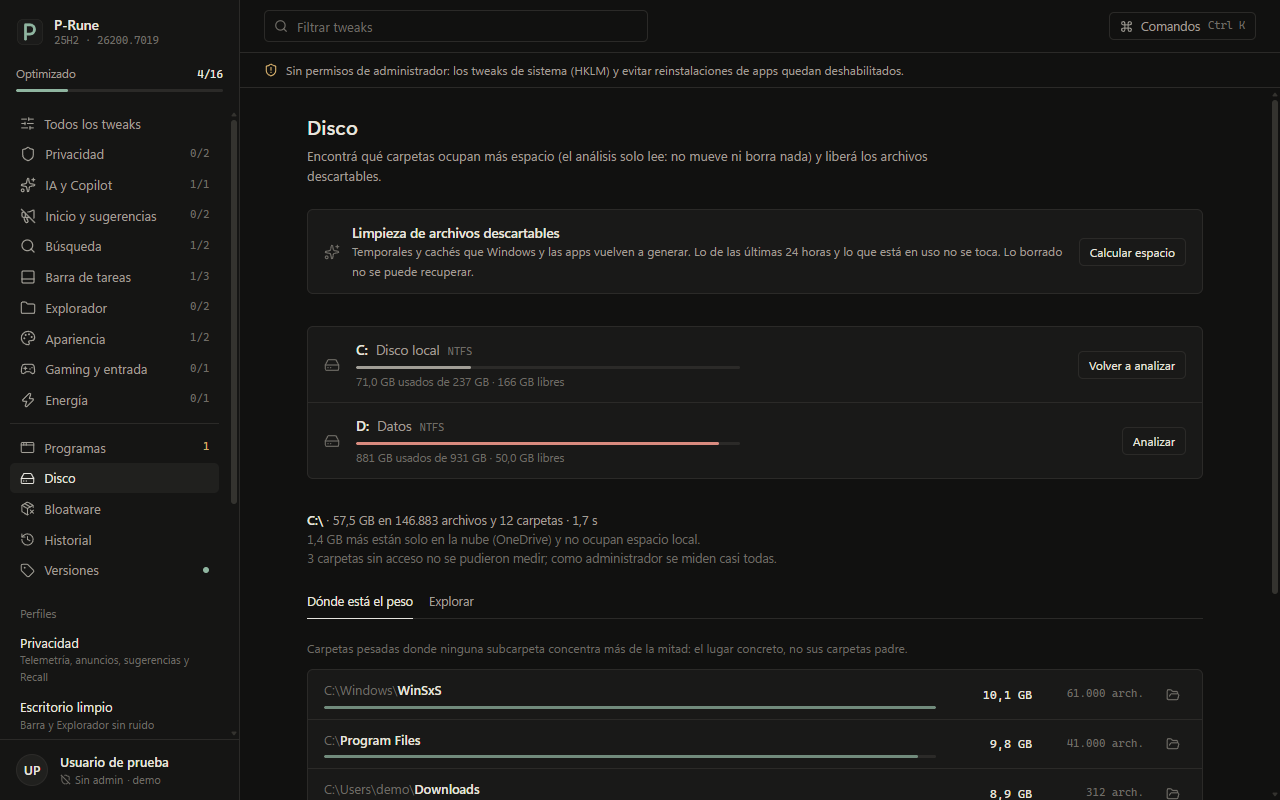
Finds the folders that take the most space, read-only. Cleans temp files, caches, crash dumps and Windows Update downloads, with a preview first.
What launches when you sign in: registry, Startup folder and third-party scheduled tasks, with who signed each. Disabled the way Task Manager does it, nothing deleted.
DNS for each connection, IPv4 and IPv6, with encrypted DNS. Every DNS change reverts by itself unless you confirm the internet still works.
Pause updates for up to 5 weeks, set active hours, and stop Windows Update from installing drivers.
Privacy, Clean desktop, Gaming and Lightweight PC select several tweaks at once. Export your setup to a file and import it on another PC.
If an update reverts a tweak or reinstalls an app you removed, P-Rune tells you and lets you reapply or ignore it.
The installers aren't signed with a code-signing certificate yet, so SmartScreen may say "unknown publisher". You can check that the file is the one published here: its SHA-256 is under the download button and in each release on GitHub.
In PowerShell: Get-FileHash .\P-Rune_x.y.z_x64_es-ES.msi -Algorithm SHA256. If it doesn't match, don't install it.
Every tweak, yes: History restores the exact previous value. Removed apps are the exception; they come back from the Microsoft Store. For large changes P-Rune offers a restore point first, and History can open System Restore.
Most of what it changes applies to the whole PC: policies, services, preinstalled apps. Windows only lets an administrator write those.
P-Rune asks GitHub whether a newer version exists and tells you. It installs only after verifying the signature and after Windows confirms it's you.
Same program. The MSI is the recommended one; the .exe is an alternative built with NSIS. Both install for the whole PC.
Yes: P-Rune Core does the same job from the command line, in a single exe.